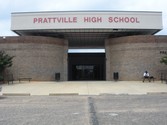
Prattville High School
Class Of 1988


|
|
First Time to our Website? 3. Look for your name and click on it.
Logging in is as easy as 1-2-3...
1. Click on "Profiles" on the menu at left.
2. Go to "New Classmates and Guests". Type in the password given.
4. Look for "If you are'your name', please click here now to create your profile".
If you get stuck, just email us!
In a Hurry?
If it's your first time here, at least create your profile login!
(see above for how to's) This will ensure you receive all our important email announcements!! You can always come back later and add to your profile!
Who can join us?
Anyone who attended Prattville with our class At anytime can become an Honorary Graduate. We also welcome PHS Faculty to join as Guest Members. Just submit your name and we will add you!
For those of you with spam blocking or email filtering capabilities, please add postmaster@classcreator.net to your email account as a safe sender in order to receive email communication from this website.
All The Fine Print....
Only fellow classmates who are LOGGED IN can view information on our website. Also, you have individual privacy controls. When you create your profile, at the very bottom of the page, there are three options to select regarding who can see your info and contact you. Read each carefully and set them however you want. Contact information will only be used for reunion and mailing purposes. Information will never be handed out to anyone without your explicit consent.
Upload photos to your profile:
and your friends are encouraged.